
Sometimes you want to show an error if a user types in, say, carl@gail.com (instead of carl@gmail.com).
With Digioh, you can add additional email validation to your forms that detects and prevents typos for the most popular email domains, such as Gmail, Hotmail, and Yahoo. This can be done with an app called “Prevent Common Email Typos”.
First, you’ll need to install the app in Digioh through the Apps page found under Admin, Custom JavaScript (Apps).
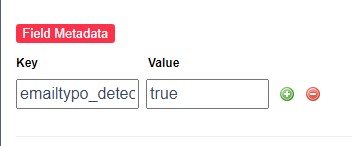
To apply the validation to a field, configure the field metadata emailtypo_detect=true to activate the app for that particular field:
Related Reading: