
In your Iterable project, navigate to Integrations > API Keys. This screen lists information about each of the API keys that have been created for the project, but it does not display the full API keys.
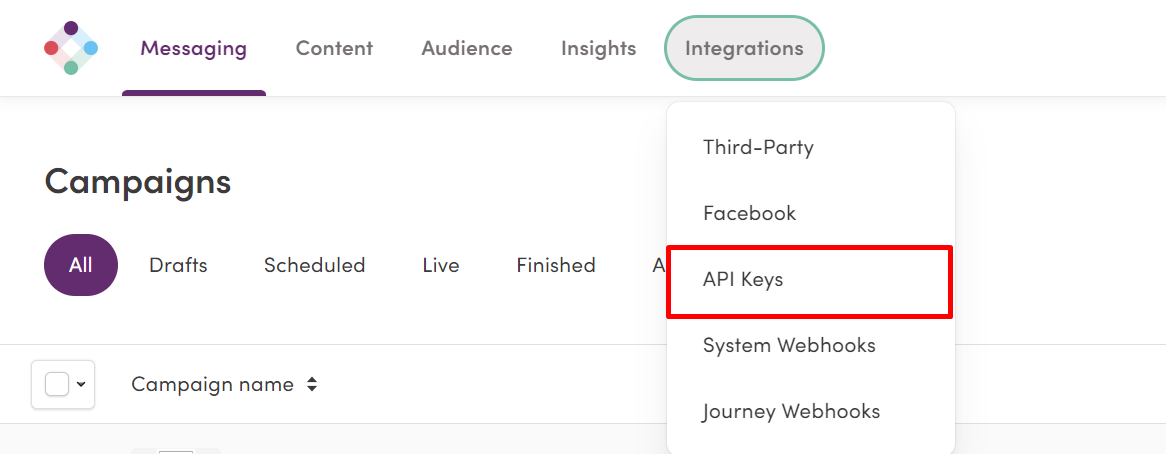
From there, Click New API Key:

To integrate with Digioh, you’ll need a Server-Side API Key. You should also provide a clear, recognizable name for the key:
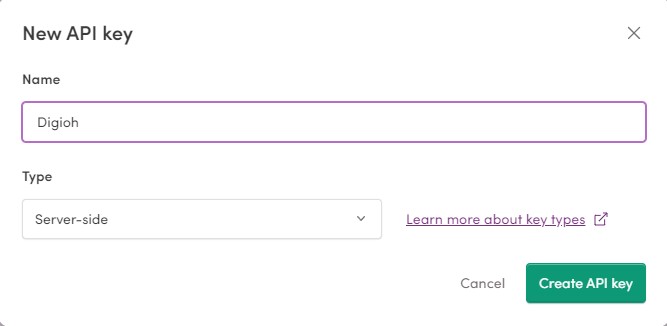
Click ‘Create API Key’ and Iterable will generate and display the API key.
Make sure to copy the key down immediately – Once you close the window in Iterable, you won’t be able to see the key in its entirety again.
If you have any additional questions, please contact us.