
Often, Digioh users don’t want to show pop-ups on every page of their site. Or, they may want to target particular pages with different pop-ups. In any case, Digioh’s conditions editor provides flexible options for targeting certain URLs with a lightbox or suppressing pop-ups on particular pages.
To display your lightbox on specific pages only, follow these steps.
- Go to the “Conditions” section of the Design Editor.
- Click “Add Conditions,” then “Add New Rule.”
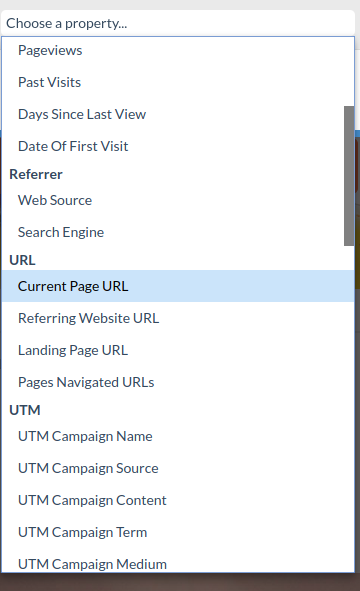
- From the dropdown menu, choose “Current Page URL.”
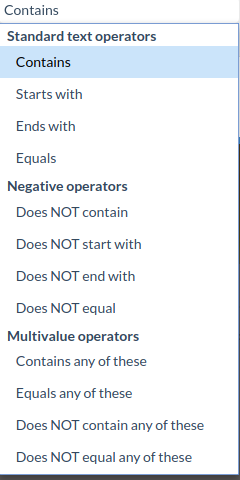
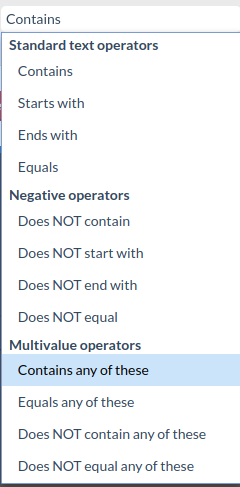
- Depending whether you want to display the lightbox on one or multiple pages, choose either “Contains” or “Contains Any of These.” Alternately, to suppress pop-ups on certain URLs, you can use the negative (Does NOT…) operators.
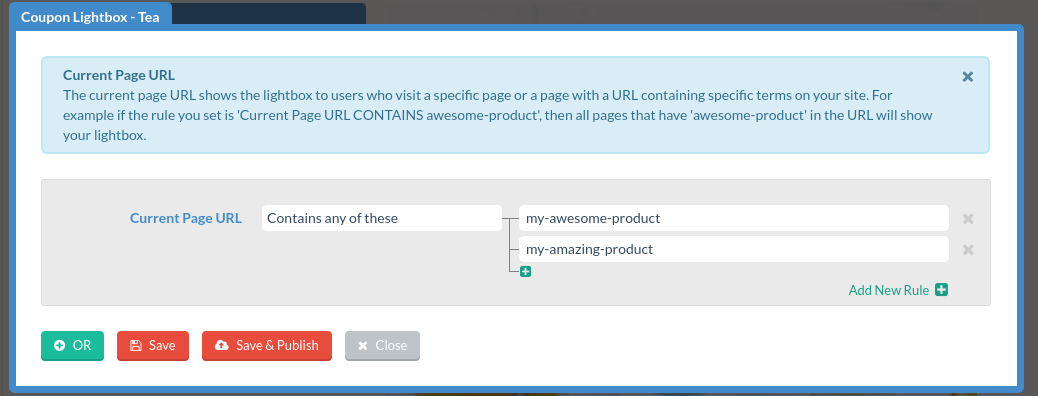
- Add your desired page(s). Since it’s not an exact match, you don’t need to enter the entire URL.
Related Reading: