
If you are implementing a Survey, it’s good practice to randomize available options for each user to remove any position-based selection bias.
Digioh Extension#18: Randomize Options Order is a turnkey solution for this.
From your profile menu top right, go to Extensions and install “Randomize Options Order (Dropdowns, Radio Buttons)” under “Form Functionality”. Make sure to publish to activate it.
The way to set it up will vary depending on the type of answers you have set up:
For Dropdowns and Radio fields
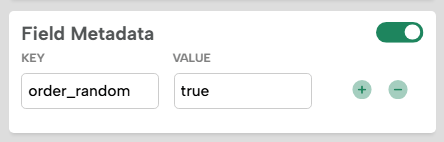
You configure your form dropdown or radio fields as normal, but under the field metadata, also add order_random : true
Then, when viewing the campaign, the order of options will be randomized:
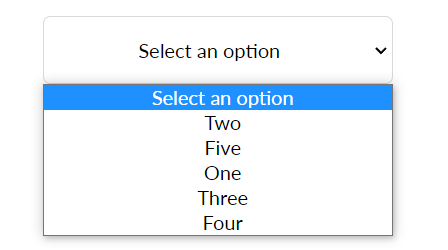
Note that if you have a dropdown with a submit value of “none” or blank, then that will not be randomly positioned and will be the default. If you don’t want to allow the user to select and submit this value, the best practice is to make the submit value blank and set the field to Required in the editor.
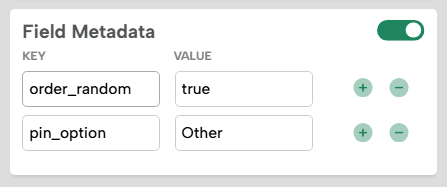
Additionally, you can pin an option that you want to exclude from the randomization process by adding the pin_option metadata and adding the submit value of the option to be excluded as the value for the pin_option key.
For select buttons
If you are using select buttons, simply add randomize_btns : true to the page-level metadata (located under the Layout tab of the page):
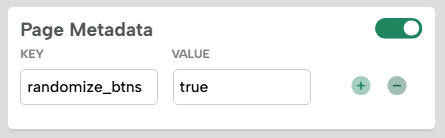
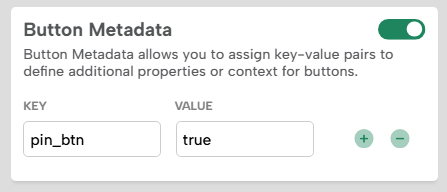
This will randomize all buttons on the page. To pin specific buttons on the page so they don’t randomize (like Back and Next buttons), add pin_btn : true to the button metadata:
Running into an issue or have a question? Reach out to our support team via support@digioh.com, and we’ll be happy to help!