
Digioh offers several powerful ways to integrate with Iterable to allow you to easily configure forms to collect and pass data to your project. You can use one of our Iterable pipelines assigned to a Digioh form to do one (or more!) of the following:
- Subscribe the user to an Iterable Static List
- Add/Update a user’s Iterable Profile
- Update the user’s Iterable Subscriptions
- Trigger a custom Iterable Tracking event
But before you do any of these, you’ll need to create a Server-Side API key in Iterable and use it to connect Iterable to Digioh!
Connecting Iterable to Digioh
To connect your Iterable project to your Digioh account, you’ll create a new Iterable Connection:
- Log into your Digioh account and select “Integrations” from the Integrations Dropdown:

- Scroll down to the ‘All Integrations’ section and search for Iterable, and then select the Iterable card:
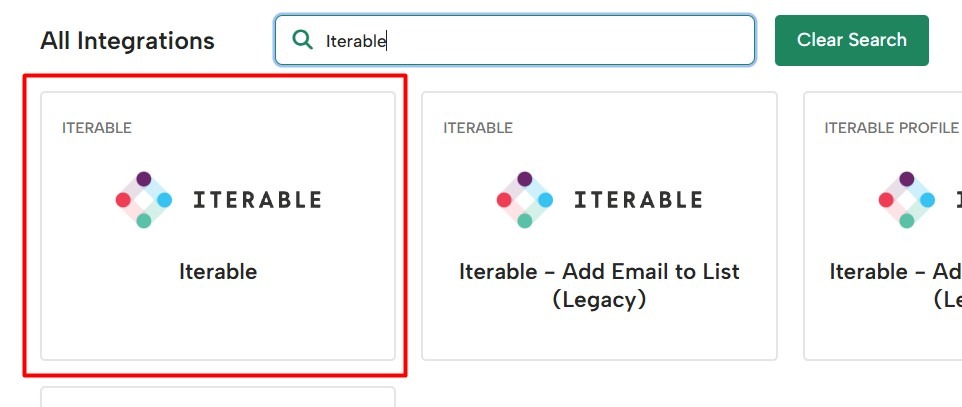
- Once you do, you will be redirected to the Iterable connections page.
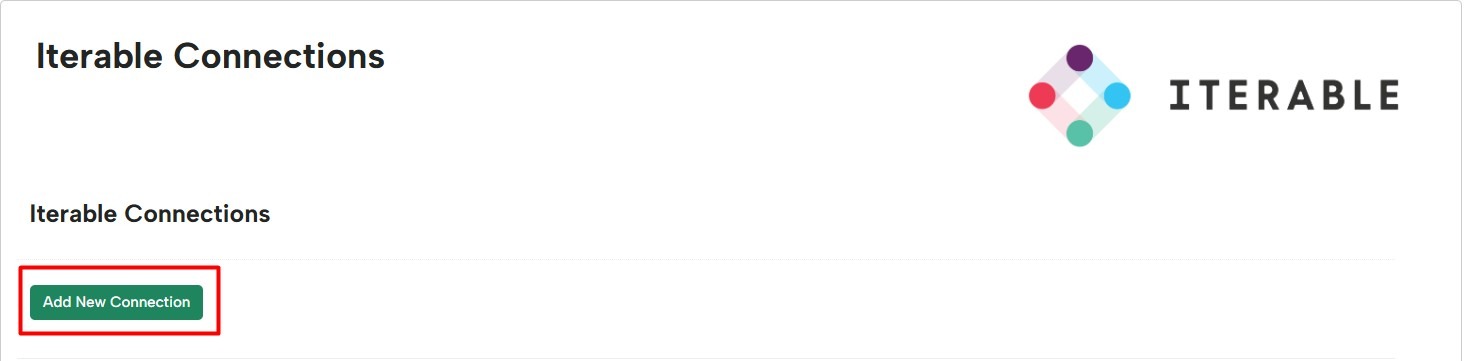
- Select ‘Add New Connection’:
- Provide a name for your connection and paste in your Server-Side API key. Please do not expose or share this API Key.
- Select the identifier your Iterable project uses (email / userId / hybrid)
- By default as part of Digioh’s integration security, we restrict the dataFields that can be retrieved from Iterable profiles to just the email, userId, and the IDs for the subscribed lists, messageTypes, and channels. See below for more information.
- Hit ‘Save’ to create your Iterable connection!
Restricted Profile Fields
To help restrict the amount of profile data that can be retrieved from Iterable when using Digioh’s integrations and Owned Identification, Restricted Profile Fields is enabled by default on all new Iterable Connections.
With this setting enabled, users will only be able to retrieve the following fields by default:
- userId
- emailListIds
- subscribedMessageTypeIds
- unsubscribedMessageTypeIds
- unsubscribedChannelIds
These are the minimum fields that Digioh needs to be able to identify users and the lists, messageTypes, and channels that they are subscribed to.
Customizing the restricted fields
If additional profile fields need to be retrieved for targeting / personalization, that can be done by configuring the Iterable Connection to include / exclude specific fields, depending on your needs.
Option 1 – Configure specific profile fields to be retrieved
If there is a small number of additional fields needed, they can be added individually by adding the dataFields to the Include Profile Fields:

In the above example, the two fields couponCode and couponAmount will be now retrieved and available, if they exist, for use in display rules and personalizing campaigns.
Option 2 – Configure specific profile fields to be excluded
If you expect to use a wide variety of profile fields for targeting and personalization, it may be easier to set Digioh to retrieve all available fields, and set specific fields to be excluded. This can be done by using the merge tag [ALL_FIELDS] for the Include Profile Field setting, and then adding the specific dataFields to be excluded:
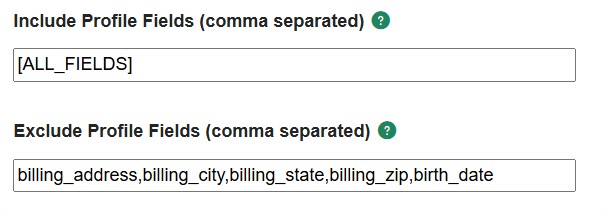
In the above example, the billing_address, billing_city, billing_state, billing_zip, and birth_date will never be retrieved for any profiles.