
What You’ll Learn in This Article:
- How to restore an older version of your campaign.
- How to switch between different versions of your campaign.
To revert to older versions of your campaign, follow these steps:
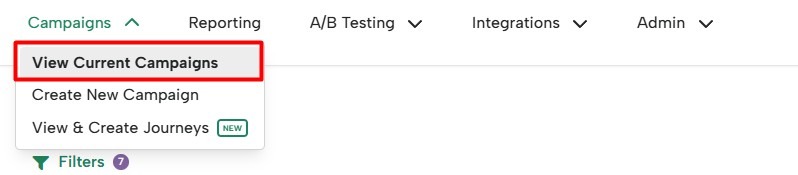
Step 1: Hover over the Boxes tab and click on View Current Campaigns.
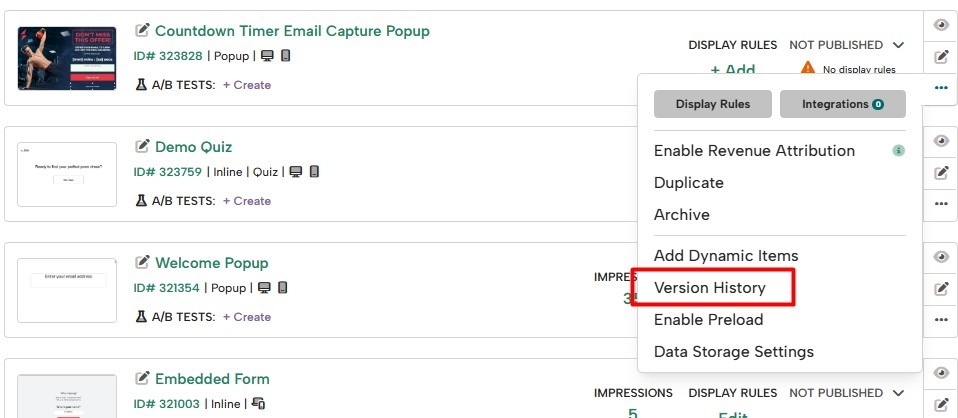
Step 2: Find the campaign you need, hover over the three dot menu, and click on Version History.
Step 3: You will find the different versions of your campaign. Select the one you need and click on Restore.

You’ll see the restored version of your lightbox.
NOTE: Please keep in mind that you will also restore the older Conditions.
This feature does not currently restore Campaign Sort Order, Dynamic Items, or Integrations assigned to a particular campaign. To restore these to your campaign, you must reset them manually.