
This guide walks you through setting up two connected campaigns: a persistent sidebar teaser that re-engages visitors, and a popup that opens when they click it. When the popup is dismissed, the teaser reappears.
What You’ll Learn
- How to build and design the sidebar and popup campaigns
- How to connect them so each one opens the other
- Which Display Rules to add to the sidebar so it shows at the right time
Build the Campaigns
You need two campaigns: a popup (your email capture form) and a sidebar (the persistent teaser that opens it).
- Create your popup campaign first, we recommend starting from one of our pre-built templates.
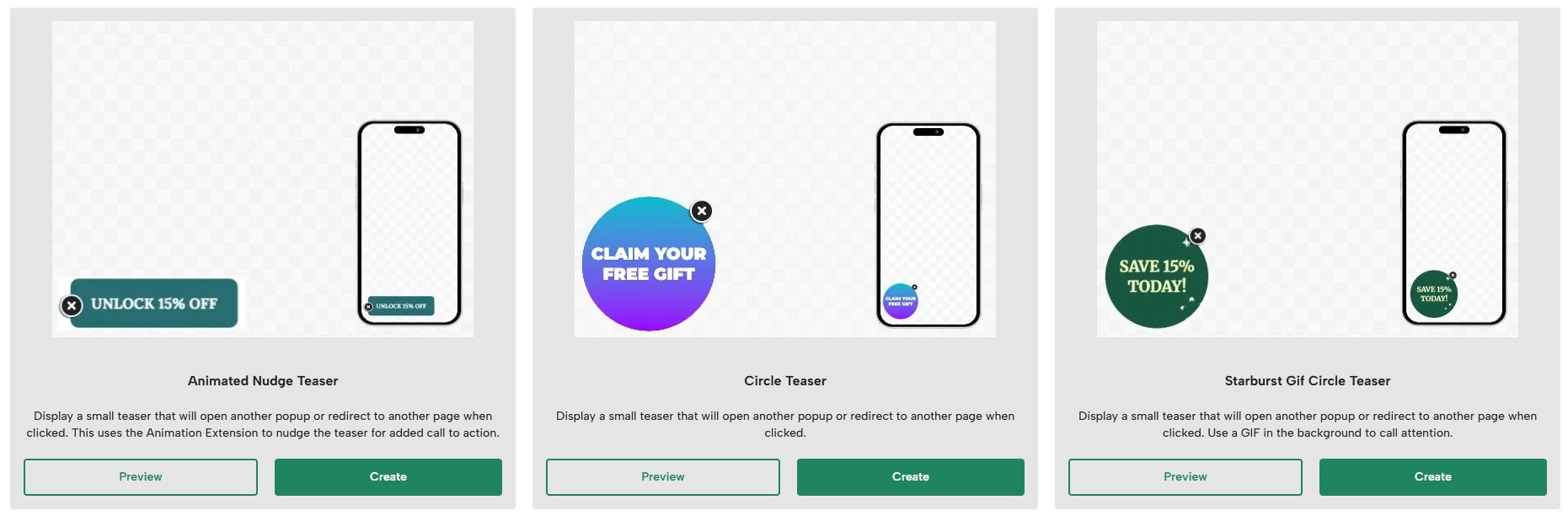
- Create a second campaign for the sidebar. Build something compact that sits comfortably in the corner of the page. A small rectangular design works well, but other layouts work just as well.
- We recommend including a close button button on your the sidebar. You can use a background image with transparency, or use the letter X as text on a clear background.
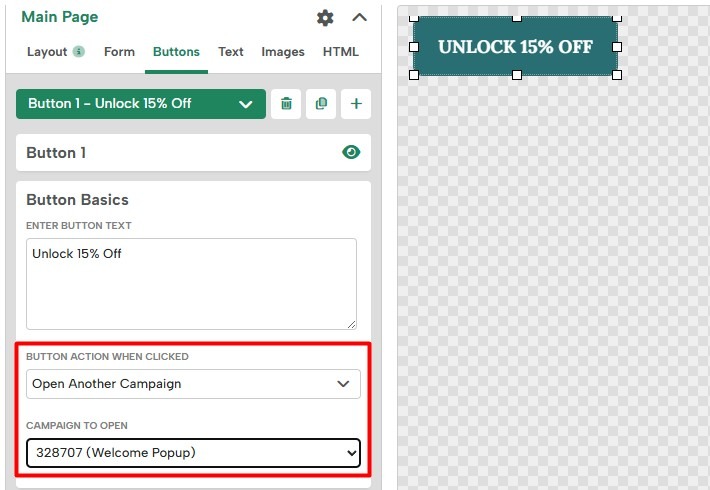
- Add a second button that covers the full clickable area of the sidebar. Set its action to Open Another Campaign and select your popup from the dropdown. When a visitor clicks this button, the sidebar closes and the popup opens.
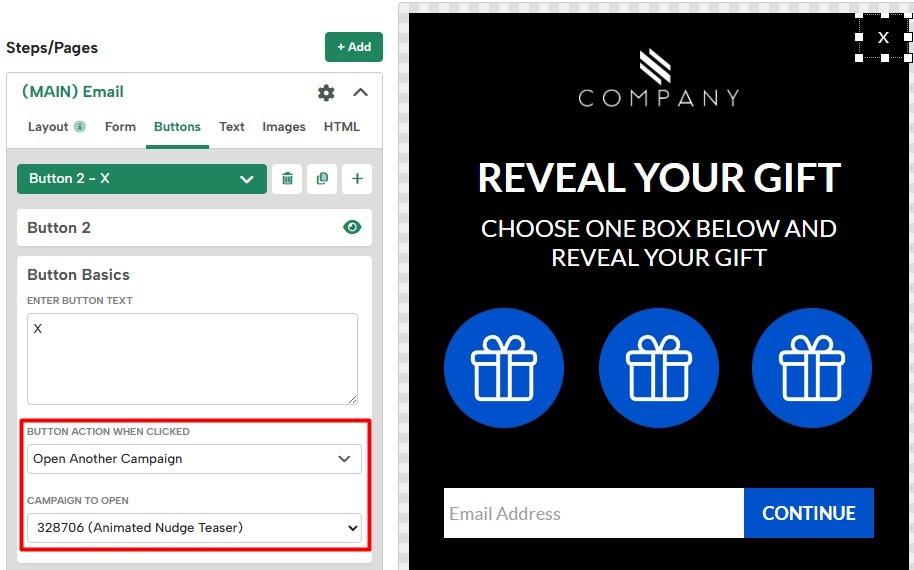
- In your popup campaign, add a close button and set its action to Open Another Campaign. This time, select the sidebar from the dropdown. This completes the connection. Dismissing the popup brings the sidebar back.
Display Rules
With both campaigns designed, the next step will be to add Display Rules to the campaigns to ensure they show at the right time.
For your popup campaign, configure it to trigger as needed.
For your teaser campaign, we recommend using something like the following:
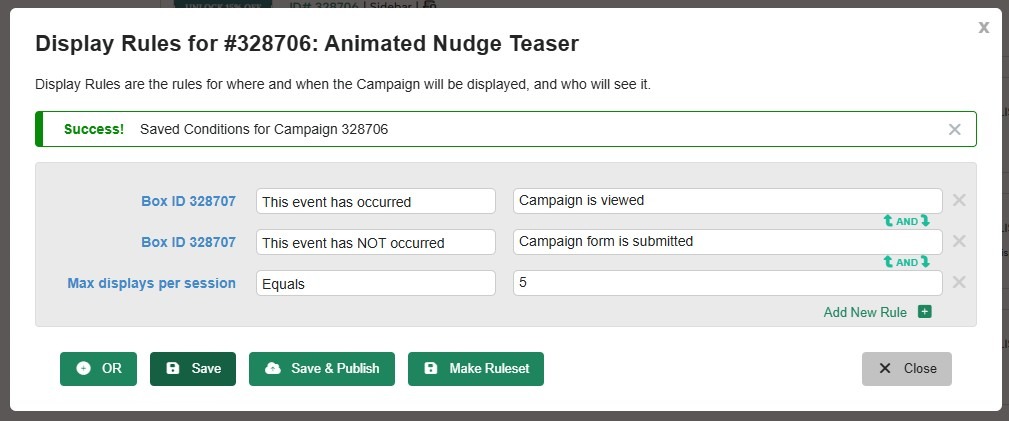
With these Display Rules in place:
- The teaser stays hidden until the visitor has seen the popup at least once.
- It will appear on the next 5 pages the visitor browses during this session.
- The teaser will be suppressed once the popup is submitted.
Add any additional rules as needed to fine-tune the teaser’s triggering.
Note: When a campaign is triggered by a button click, it opens regardless of its Display Rules. The button action always takes priority.