
A teaser is a small modal that, when clicked, opens a larger Campaign on your site. Creating a teaser that redirects users to your product recommendation quiz is a great way to draw visitors into the quiz experience.
Follow the below steps to add a teaser to your homepage.
Step 1: Create a new campaign in Digioh. For best results, make sure your design is eye-catching and includes a compelling call to action.

If your Quiz is Embedded on a page (Inline Campaign) follow step 2a. For a pop-up quiz (Lightbox), follow step 2b.
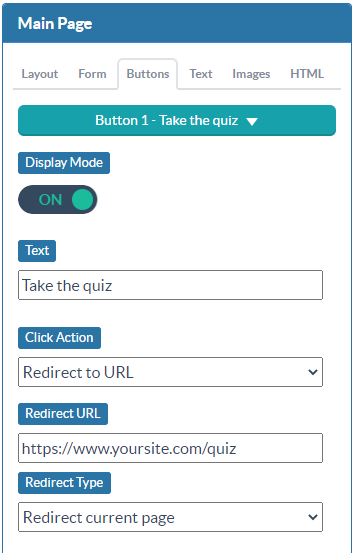
Step 2a: Set the button action to redirect and add the URL of your quiz page.
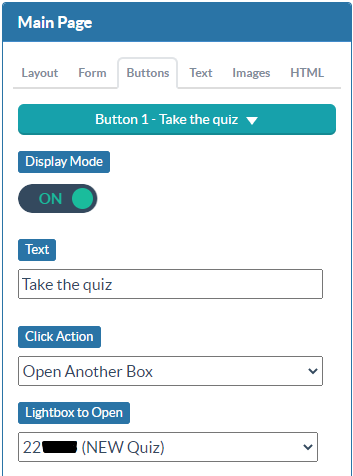
Step 2b: Set the button action to open another campaign. Select your Quiz’s campaign name from the Lightbox to Open dropdown.
Step 3: Configure your display conditions.
Setting Current URL Path to “/” will show the teaser on the homepage, promoting your product recommendation quiz every time a user visits your homepage.

Alternately, you can set a pageviews = 0 condition. This will show your teaser on all landing pages.
Publish your Campaign, and your teaser will be live on your site.
Running into an issue or have a question? Reach out to our support team via support@digioh.com and we’ll be happy to help!