
Build product recommendation quizzes for any eCommerce platform using a custom product feed. Digioh uses your feed to display content on the results page and power your quiz logic.
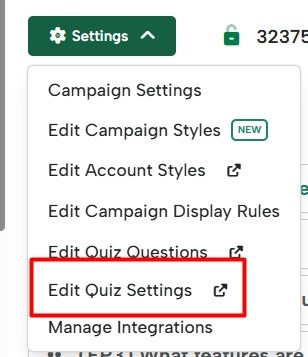
Update your custom feed and other quiz settings by going to Settings → Edit Quiz Settings
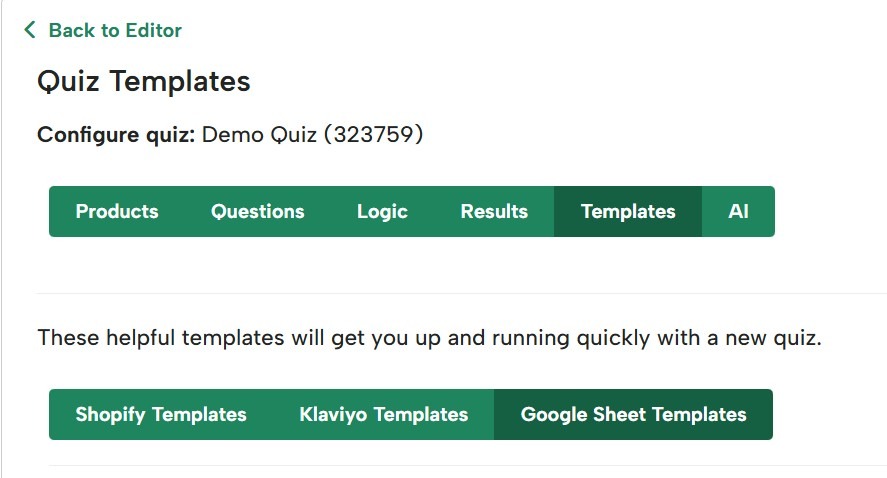
Product feed templates
View example product feed templates in your Digioh account.
Requirements for a product feed
- Must be a Google Sheet or a URL in CSV format.
- The feed link must not require a password or login to view (General access).
- For a Google Sheet, set the General Access to Anyone with the link:
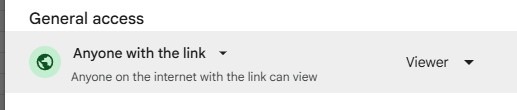
- For a Google Sheet, set the General Access to Anyone with the link:
- The first column must be titled PRQ:ID.
- All columns must begin with the prefix PRQ: (for example: PRQ:SalePrice).
- Column headers can’t contain spaces or special characters.
Product feed fields
Your product feed displays your quiz results and powers your quiz logic.
Minimum required fields
Digioh needs these two fields to recognize a product feed. Without them, Digioh won’t recognize your feed.
- PRQ:ID – Required field. Must be the first column, and must contain a unique value for each product (a product ID, or sequential numbers like 1, 2, 3).
- PRQ:Name – The name of the product.
Results page fields
Add these fields to display product information on the results page. Digioh recognizes the exact field names below – other names won’t work. For example, Digioh won’t recognize “PRQ:Title” or “PRQ:ProductName” as the product name, so it won’t show on the results page.
- PRQ:Name – The name of the product. (Required)
- PRQ:Description – Add this to display a product description on the results page.
- PRQ:URL – The product page URL.
- PRQ:Image – The product image shown on the results page. Use the same aspect ratio for all product images.
- PRQ:Price – Add this to display prices on the results page.
- PRQ:SalePrice – The sale price if a product is on sale. If a product is not on sale, put the normal price here (don’t leave it blank).
Weight Logic fields
Quizzes that use Weight Logic can look up products in your feed with specific attributes and assign points to them. These fields are custom attributes specific to your store’s catalog.
Note: If you use Outcomes Logic, you don’t need additional fields in your product feed.
There’s no limit to how many you can create. They just need to begin with “PRQ:” and contain no spaces or special characters.
Examples of Weight Logic fields:
- PRQ:Tags
- PRQ:Category
- PRQ:Color
- PRQ:Size
- PRQ:Flavor
- PRQ:Style
- PRQ:Gender
- PRQ:Material
Weighting answers based on feed fields
Answer buttons in your quiz will have Quiz Weight Logic settings that pull data from your product feed. You can configure your answer buttons to assign weights to specific products or any products that match a specific criteria.
In the Design Editor, add Quiz Weight Logic to any answer button. Your feed columns appear in a dropdown, letting you add points to every product that matches that answer.
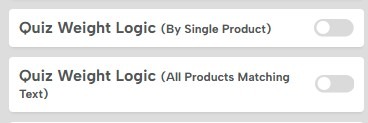
For example, you could ask quiz takers which colors they prefer, and use a PRQ:Color column to identify the color of each product and weight specific products accordingly:
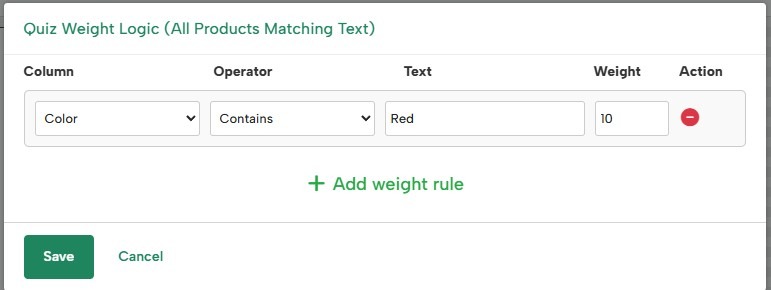
Note: You can use any field to add weight to an answer. For example, for the question “What occasion are you shopping for?” you could add weight to any product with “Birthday” in the product name.
Frequently asked questions
How often does Digioh update the product feed?
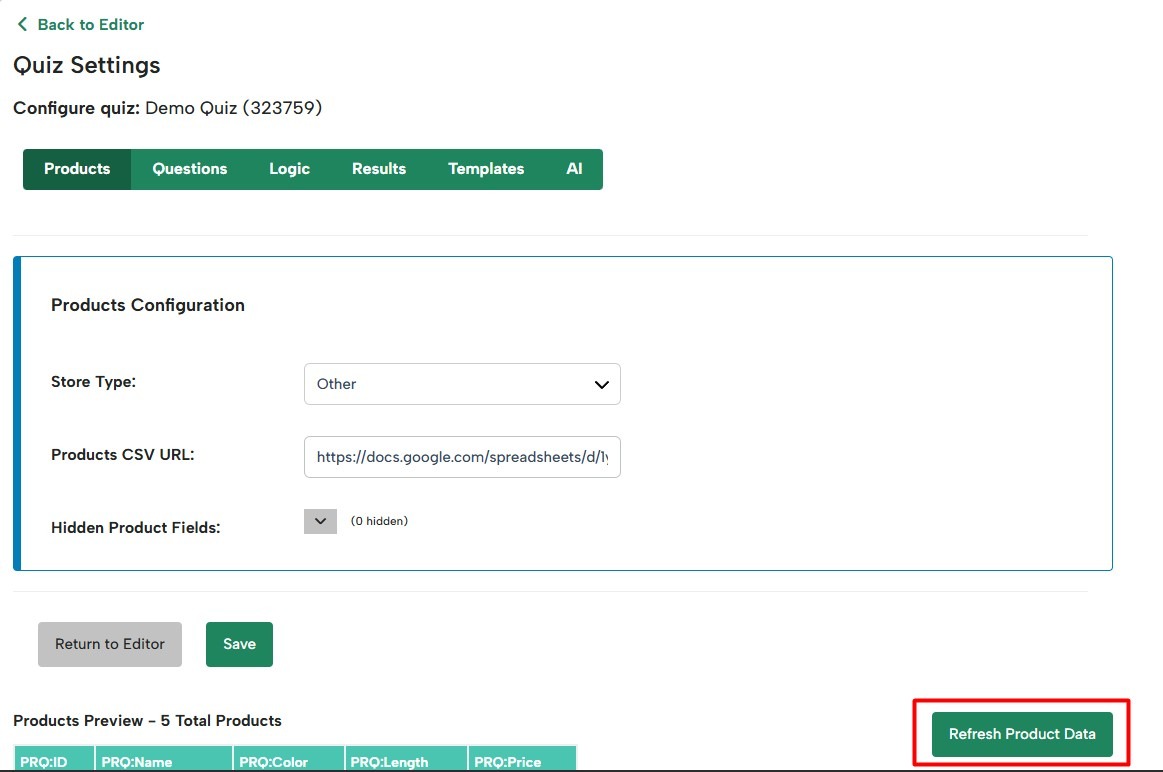
Once every 24 hours. You can also update it manually anytime by clicking Refresh Product Data under Quiz Settings → Products.
Can you convert a feed I provide into the correct format?
No – you’ll need to export your feed in the correct format.
What if I can’t export a live feed?
You can create a Google Sheet manually. Keep in mind you’ll need to update it by hand to keep stock availability and pricing current.
Will changes to my product feed affect my quiz?
Routine updates – like changes to price or stock availability – won’t affect your quiz and are expected. However, changing your product IDs or names could impact quizzes that use Outcomes Logic, and changing the feed’s format can too. For example, removing a column your quiz relies on for Weight Logic may break that logic. \