
Create your own Custom Conditions
Digioh supports JS Var Conditions, which allows you to implement a wide range of sophisticated targeting use-cases and interoperation with your existing site JS or Digioh Custom JS. However, because JS Var conditions are very technical and implementation dependent, they are less accessible to non-technical users. To allow non-technical users to take advantage of advanced targeting, we support the creation of Custom Conditions that are essentially human readable wrappers for JS Var Conditions. Custom Conditions are somewhat similar to Rulesets, but allow for user-configurable parameters when using them in Campaign Conditions. This feature is available to Super-Users only.
Just like JS Var Conditions, Custom Conditions can access any JS data accessible via the window object, and defaults the window namespace (so you don’t need to prefix your var names with “window.”).
In the Digioh HQ, from the Super User Admin menu, click “Custom Conditions” and you will see the Condition List:
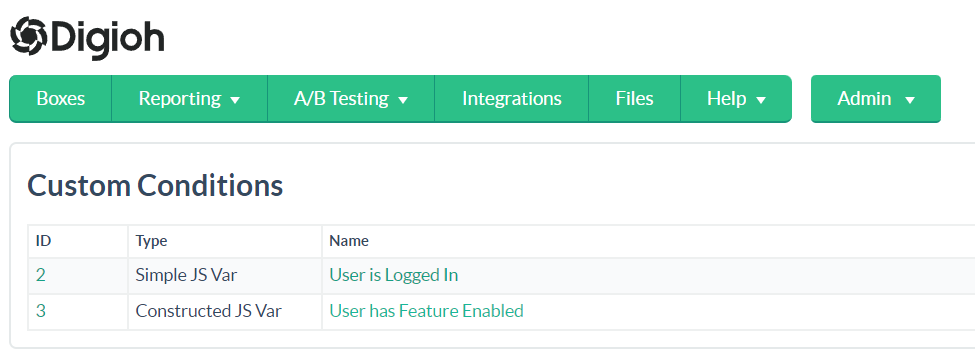
Give your Custom Conditions clear human readable names that make clear the meaning of the condition being true.
Create a new condition or click on an existing one to edit it. Note that like Rulesets, edits to existing Custom Conditions will apply to all existing uses in Campaign Conditions.
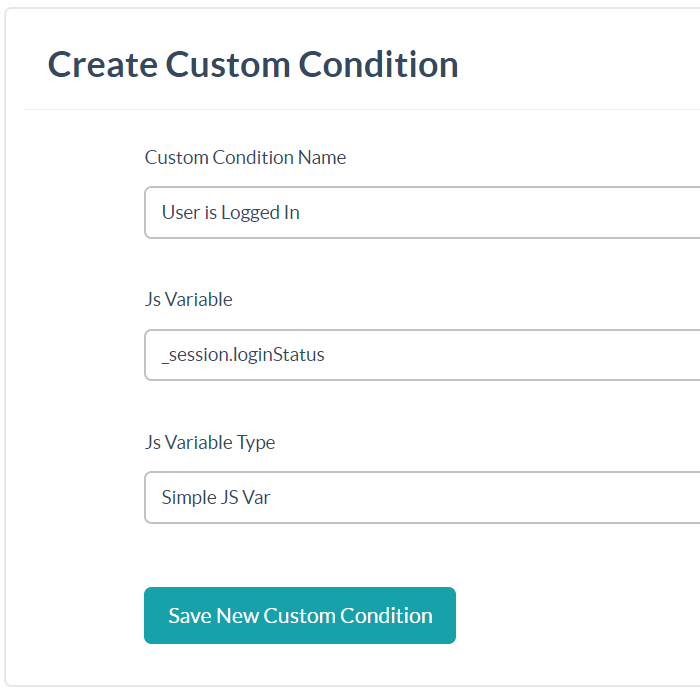
The Simple JS Var Custom Condition type is essentially a human readable wrapper for JS Var condition. Here’s where to find your Custom Conditions:

In Campaign Conditions, select the Custom Condition from the dropdown and configure the comparison operator and value. This shows a Simple JS Var Custom Condition and its equivalent JS Var Condition:

The Constructed JS Var Custom Condition type is for more advanced use cases where part of the JS Var itself needs to be a condition parameter, which is not possible with JS Var Conditions alone:
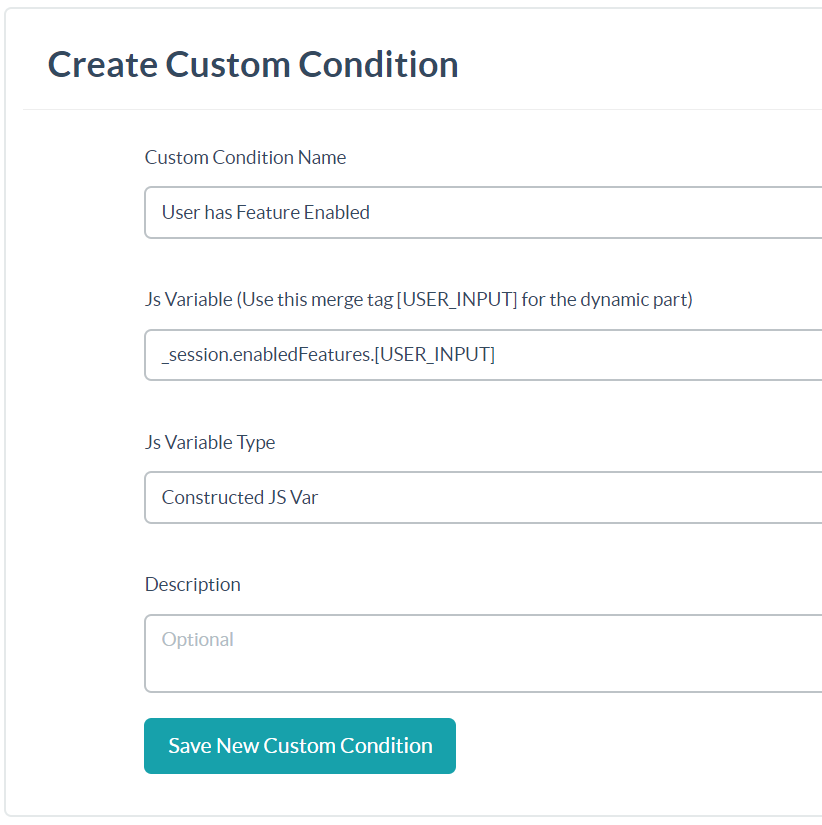
Here’s an example use:

In general, use Custom Conditions when you have a need for JS Var Conditions that compare against value parameters, and want to make them more accessible to your non-technical users.
Questions? Comments? Let us know at contact@digioh.com